From blank page to door one in an afternoon
Four steps, all in one screen: the calendar on the left exactly as your customers will see it, and everything you change on the right. These are real screenshots of the builder.
Paint your picture
Tell us what your business does in a line, pick a style and a scene, and we paint a Christmas picture around you, with your name on a sign if you like. Six styles run from busy and traditional to calm and minimal, or choose a plain picture in your brand colour. Prefer your own artwork? Upload it and we cut the doors in.
More about the artwork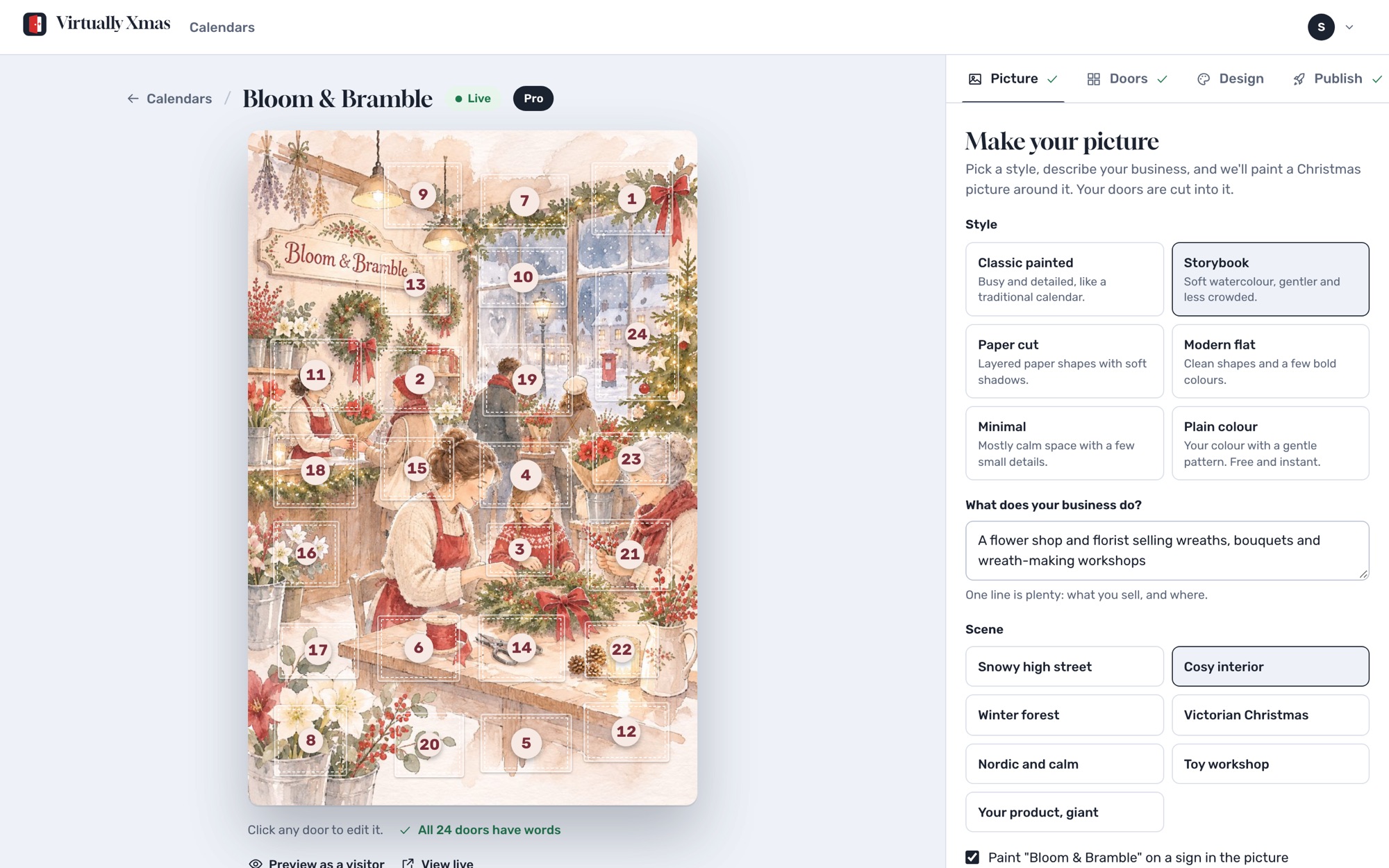
Fill 24 doors
Click any door to edit it: a title, a message, a picture or video, a button to anywhere, and an offer. Offers can be a shared discount code or, on Pro, a single-use voucher each person claims by email. Or list the offers you are happy to give and let the AI draft all 24 doors in your tone.
How single-use vouchers work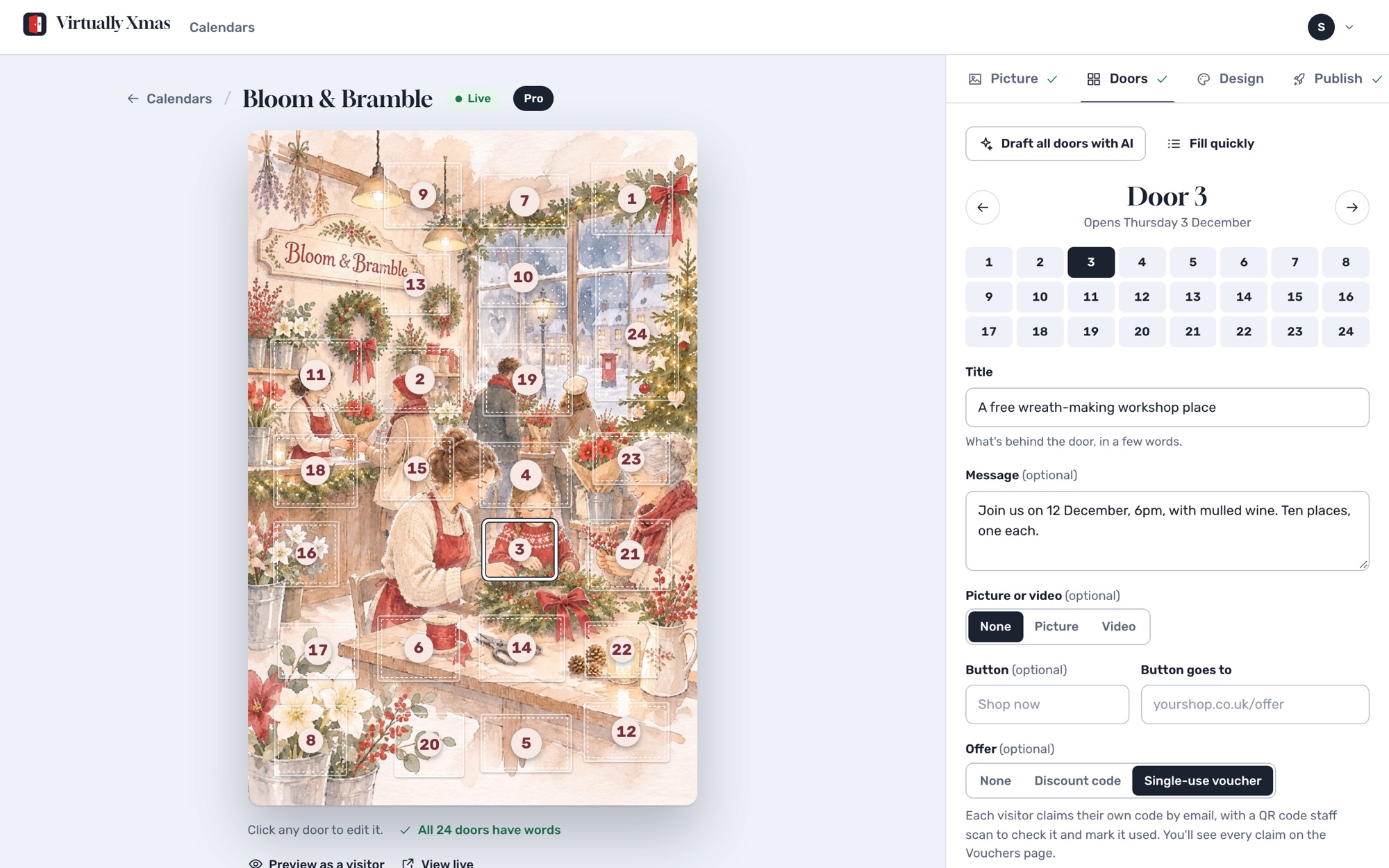
Check every day in preview
Preview the calendar as visitors will see it on any date from November to Christmas Eve, and open every door to check links and codes. Doors open at midnight in your timezone, and tomorrow's door is never sent to anyone's browser early.
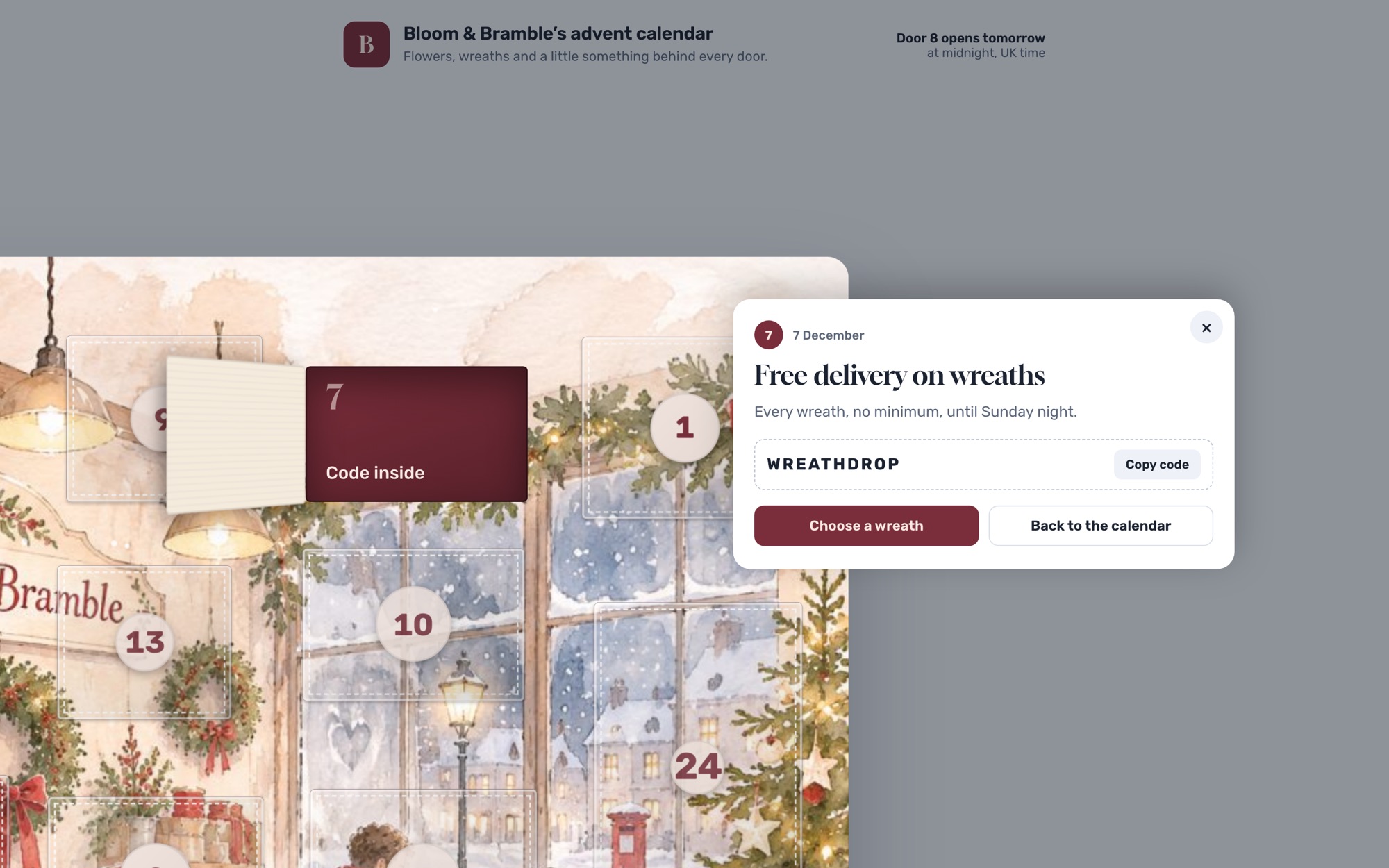
Publish and share
Pay once and your calendar is live at its own link. The share kit gives you a tracked link for each channel, a QR code for posters and till points, and an embed code for your website, so your stats show what brings people in.
Linking it to your campaigns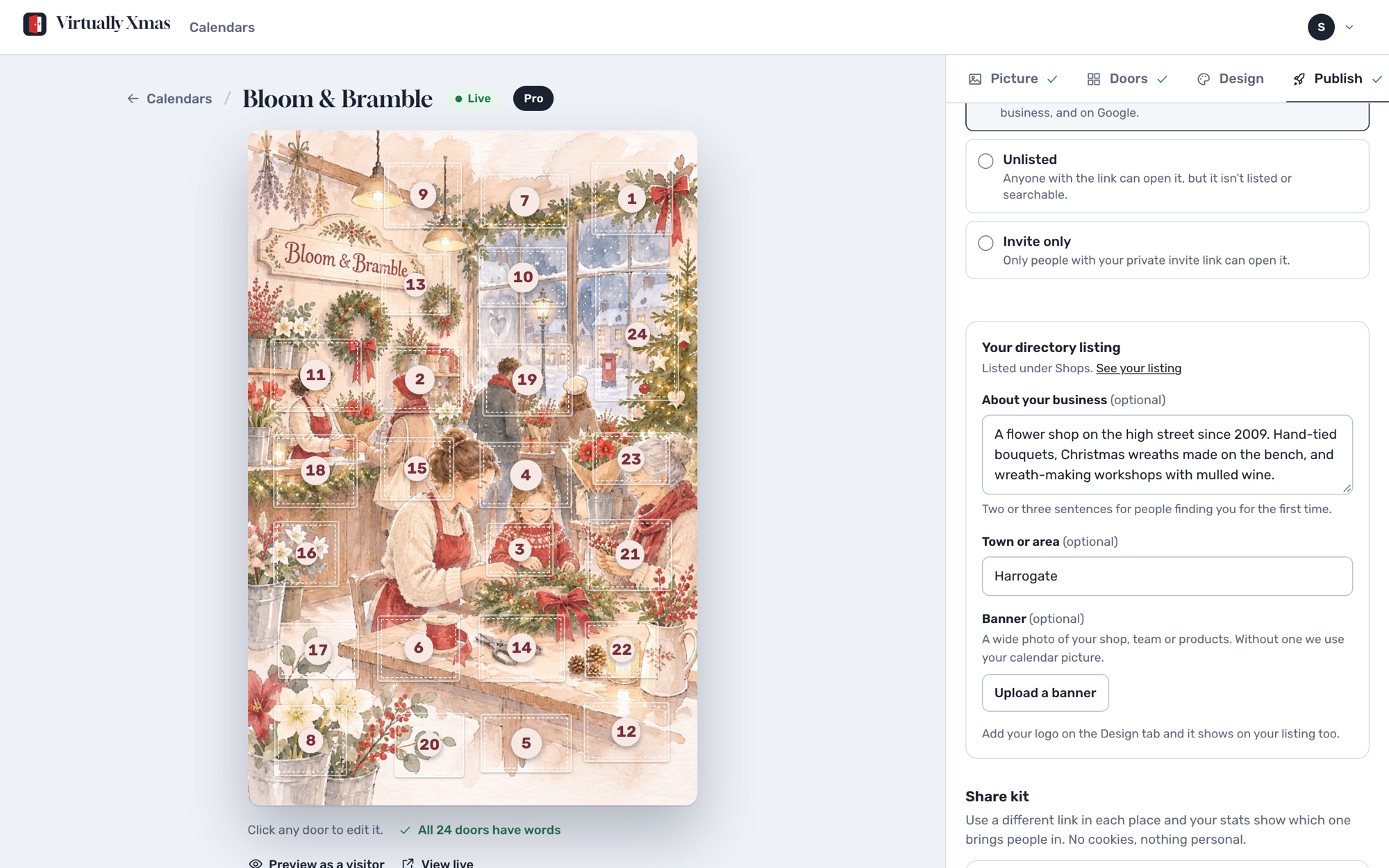
Questions
How long does it take?
Most people go from sign-up to a published calendar in about fifteen minutes: a minute for the picture, a few for the doors with the AI drafting them, and a check in preview.
Do I need a designer or developer?
No. The picture is painted for you or uploaded, the doors are typed into boxes, and the calendar lives at its own link. To put it on your website, paste one line of embed code.
Can I change things after it goes live?
Yes. Edit any door, swap the picture, change colours or pause the calendar at any time. Only the web address is fixed once you have paid, so links you have shared keep working.
Build your calendar today
Free to build and preview. Pay once when you publish.