Drops into the marketing you already do
Your calendar is one link. Put it in your December emails, your social posts, your website and your shop window, and see which of them actually brings people back.
Add a "Open today's door" button to every December email. Your share kit has a link just for email, so newsletter visits are counted separately.
Social
Post today's door each morning with your Instagram, Facebook, TikTok or LinkedIn link. Pin the calendar to your profile for the month.
Your website
Embed the whole calendar on a page of your site with one line of code, or add a banner linking to it.
In store
Download a QR code for posters, receipts, table cards and till points. Scans are counted as "QR code in store".
A share kit, ready when you publish
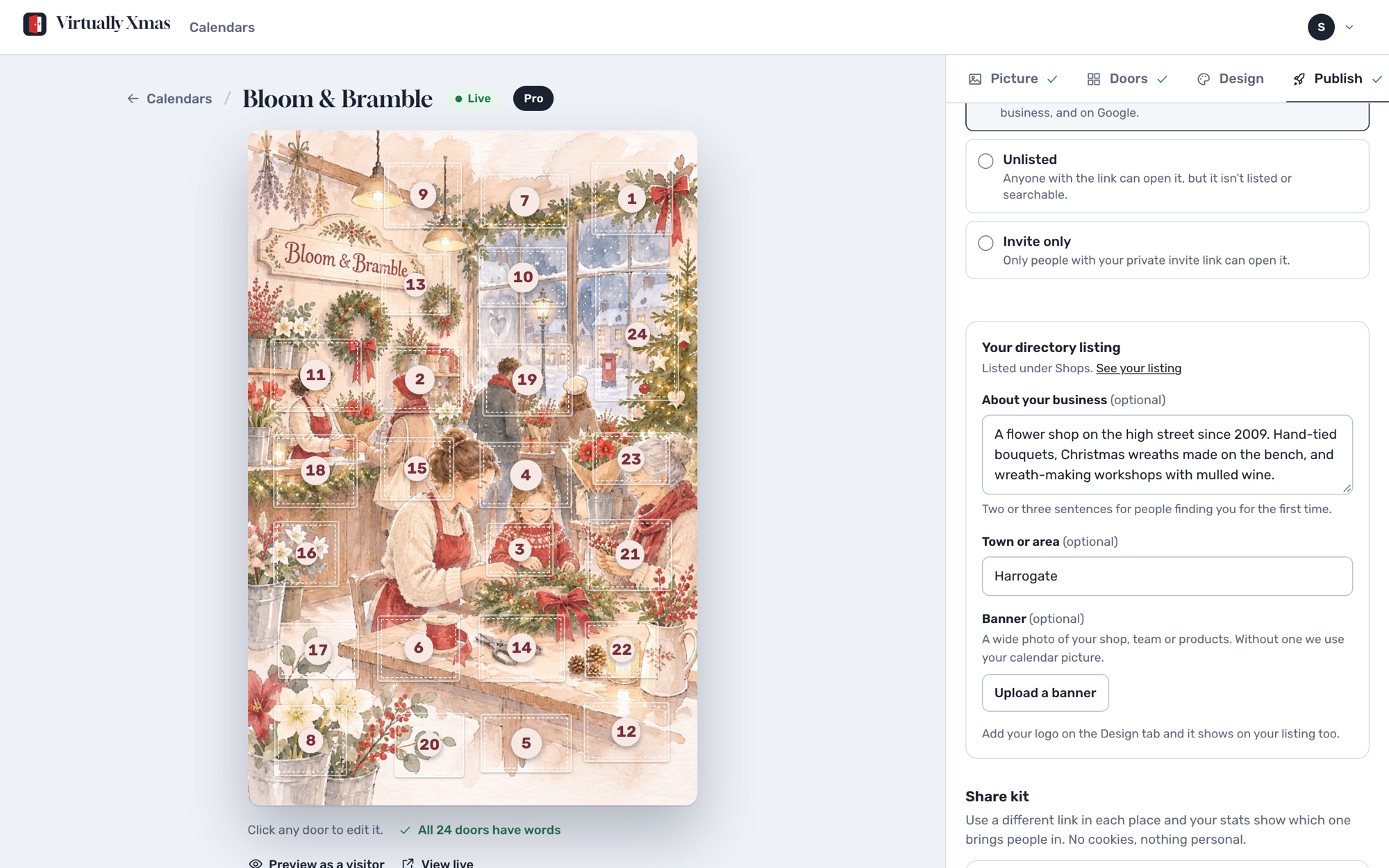
The Publish tab gives you a tracked link for each channel, a QR code to download for print, and the embed code for your website. Copy, paste, done.
For invite-only calendars, every link carries your private invite key, so your guests get straight in.
Know what's working
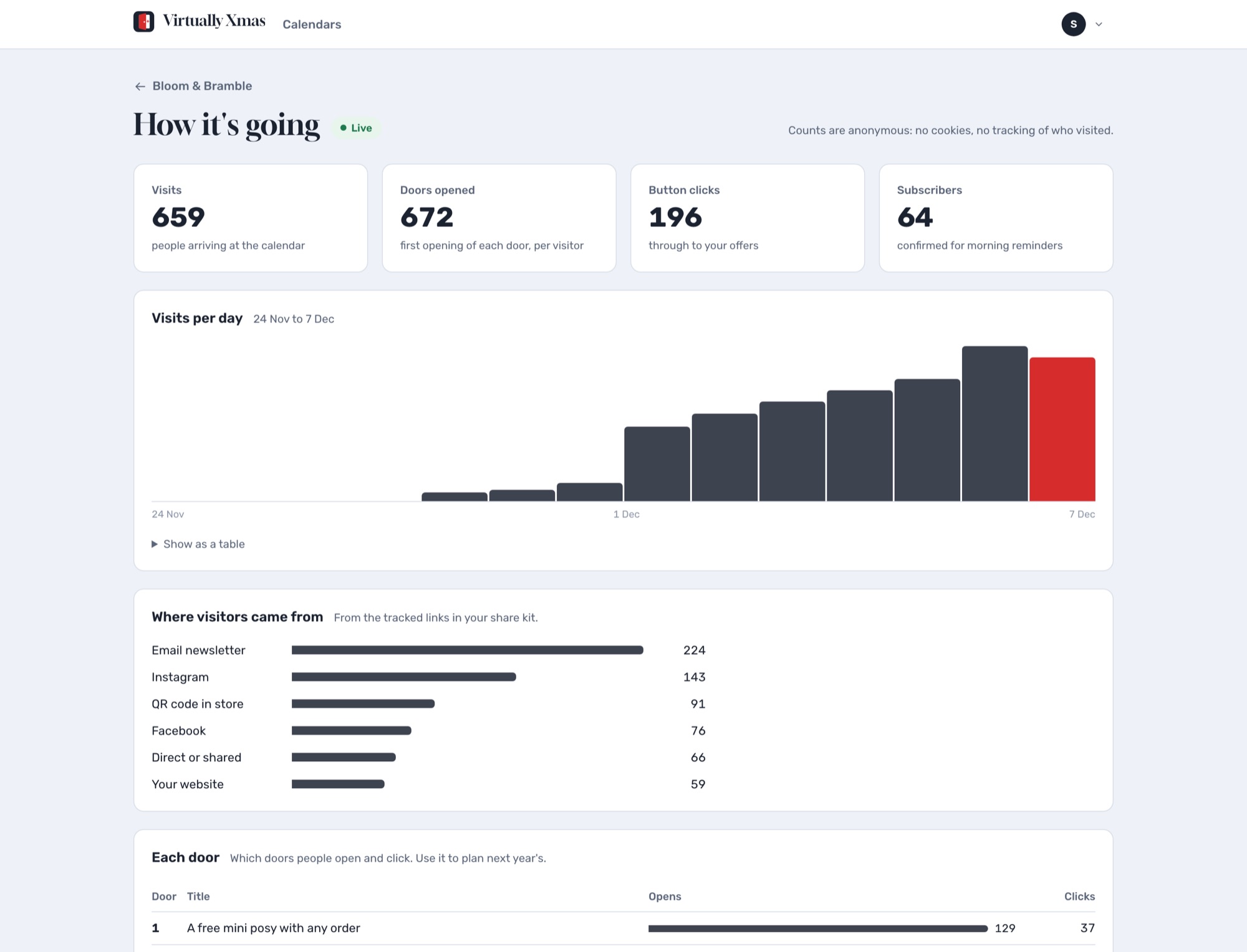
Your stats show visits each day and where they came from: email, each social network, your website or the QR code in store. On Pro you also see opens and button clicks for every door, so you know which offers landed.
It's all anonymous counting: no cookies and nothing stored about the people visiting.
A simple December rhythm
- Late November: announce the calendar in an email and on social, with the date door 1 opens.
- 1 December: send the link with "Door 1 is open". Put the QR posters up in store.
- Every morning: post today's door on social. On Pro, visitors who asked get their reminder email automatically.
- Mid-month: a second email highlighting the best doors still to come.
- Christmas Eve: door 24 says thank you. In January, look at your stats and plan next year's.
More ideas in our guides, or see how it works for your kind of business.
Questions
Does it connect to my email platform?
There is nothing to connect. Paste your calendar's email link into any email tool as a button or image link, and visits from it show up as "Email newsletter" in your stats.
Can I put the calendar on my own website?
Yes. Copy the embed code from the Publish tab and paste it into your website builder's HTML or embed block. It works on most website builders and shop platforms.
How do you know which channel visitors came from?
Each link in your share kit carries a short label, such as via=instagram. When someone arrives, we count the visit against that label. No cookies, and nothing about the visitor is stored.
Can I use my own campaign tags?
Yes. Standard utm_source tags are recognised too, so links from your existing campaigns are counted against the right channel.
Build your calendar today
Free to build and preview. Pay once when you publish.